
Feature
Motion graphics as code
Describe the effect you want in chat—captions, transitions, motion graphics, or compositing—and Zoea writes the code for it.
This works well for:
- TikTok-style captions
- Custom title cards and lower thirds
- Animated infographics
- Transitions between scenes
Describe what you want
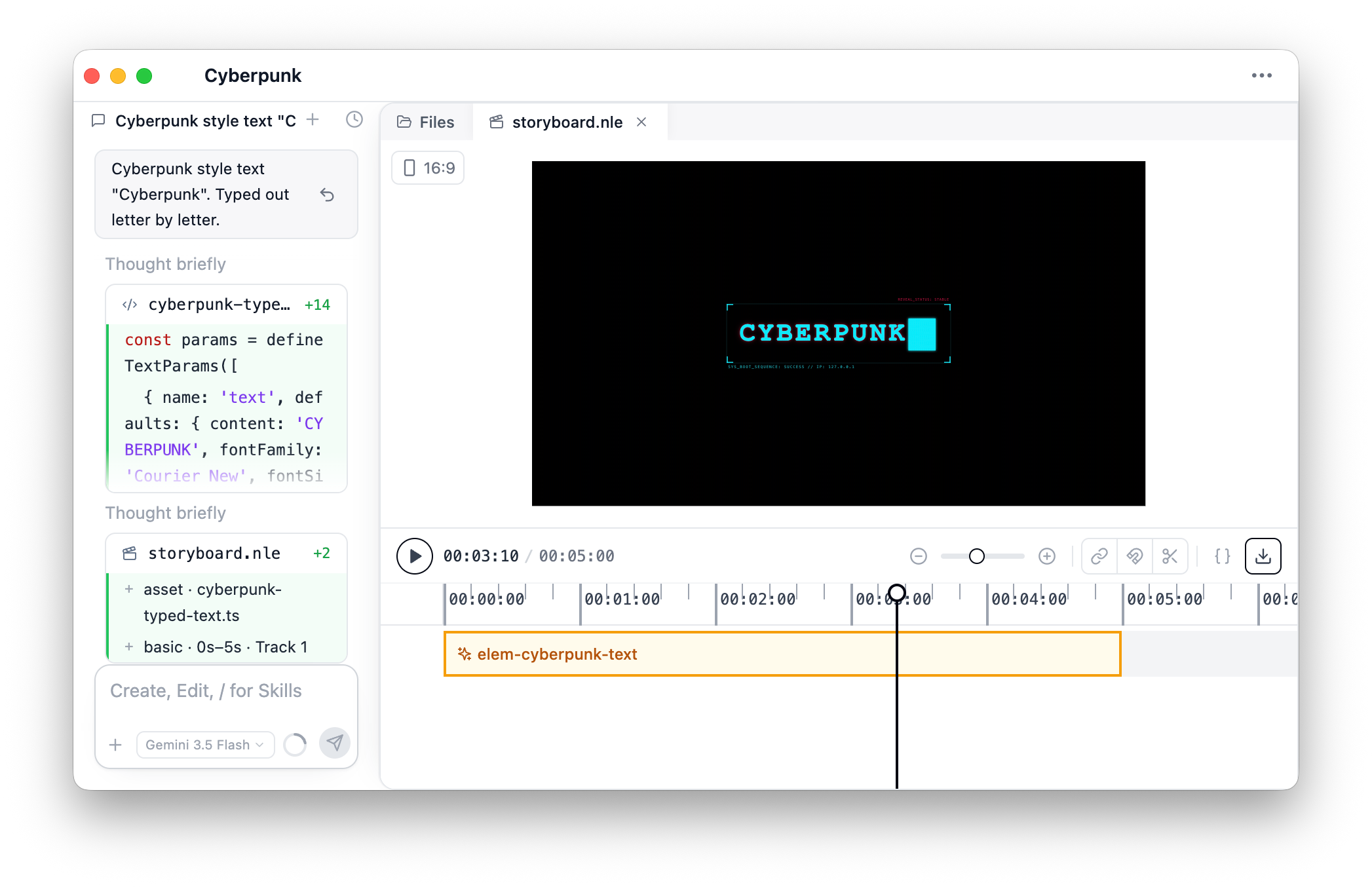
Tell Zoea what the effect should look like and where it should appear on the timeline. You can reference a clip, a time range, or the whole composition.
Zoea writes the code
Zoea creates a motion script that runs in the preview and on export. The code lives in your project as a script file you can open, edit, and reuse.
Preview on the timeline
Attach the script to a timeline element and scrub the playhead to see the effect update in real time. Adjust timing by moving or trimming the clip on the timeline.
Tune with parameters
Many effects expose sliders, color pickers, and text fields in the properties panel. Select the element on the timeline to tweak the look without editing code.
Combine and iterate
Ask Zoea to refine the look, chain multiple scripts on one element, or add the same effect to other clips. Describe the change in chat and Zoea updates the script.